
Windy.app - Enhanced forecast
Windy Weather World IncWeather
4.85.95K Reviews
- Version
- 99.0.0
- Installs
- 10.00M
- Age Rating
- Everyone
Screenshots
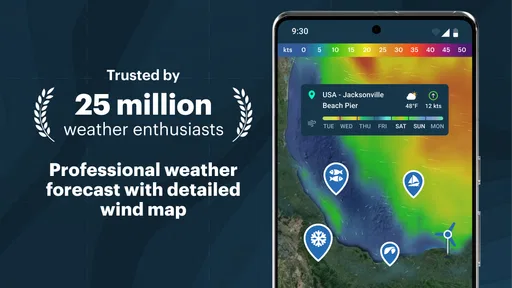
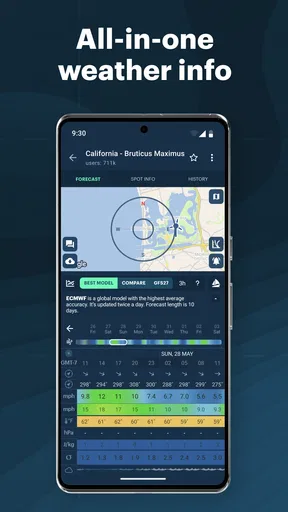
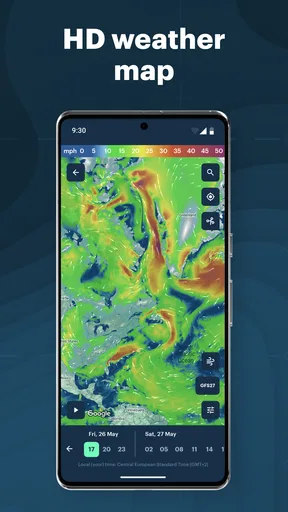
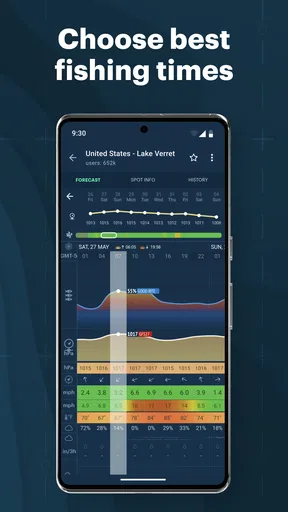
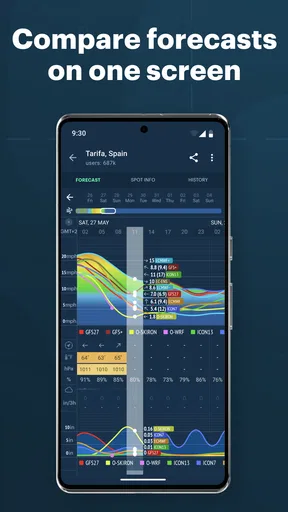
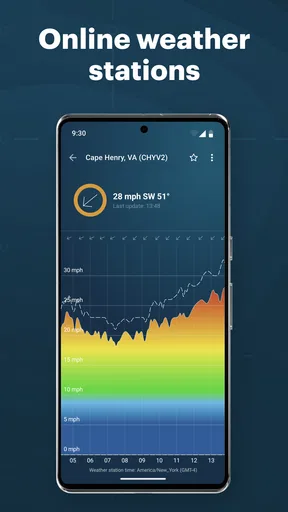
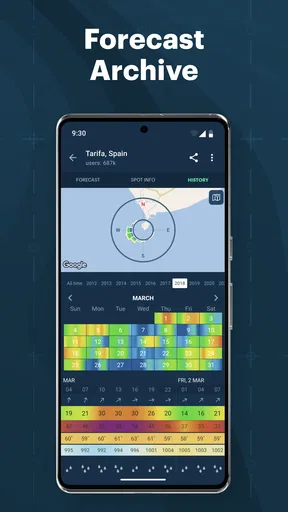
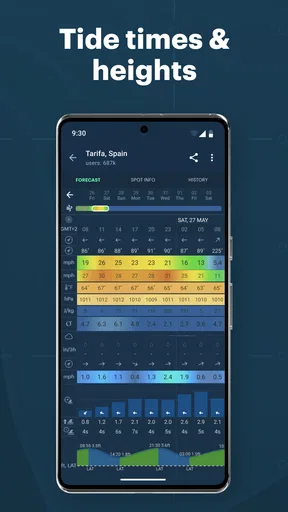
Our Review of Windy.app - Enhanced forecast
 Analysis by Appyee
When a forecast needs to answer more than “Will it rain?”, a weather app built around wind, water and outdoor conditions can be worth considering. I see Windy.app as a specialist option: it is most useful when the direction and strength of the wind, or the timing of tides and waves, could change what you do. For a quick look at whether to carry an umbrella, a simpler forecast app may be all you need.
What the free access does—and does not—settle
Windy.app is a free weather app from Windy Weather World Inc, and it is rated for Everyone. It has reached over ten million installs, with a 4.7 average from around 377,000 ratings. Those figures suggest a substantial audience, though they do not tell me whether every advanced option is included at no cost or whether a particular forecast will suit your location.
There are in-app purchases, with listed items ranging from $4.99 to $299.99 each. That is a broad spread, so I would not assume that every purchase is necessary—or that the highest-priced item is relevant to a casual user. My practical advice is to begin with the free experience and identify a specific task you cannot do comfortably before paying. The price range alone cannot tell you what each item includes, so check the purchase details in the app before deciding.
Where its detail earns its place
The appeal is not simply having another forecast on a screen. Wind direction can matter as much as the headline conditions if you sail, surf, fish, or choose an exposed route for a walk. A map gives that information a spatial context, while tide times and waves help make a coastal plan less guesswork-heavy. Those details are more relevant to a person deciding when and where to go than to someone who only needs a broad daily outlook.
A useful way to work with a wind map is to check the wider pattern before focusing on a single spot. If the wind appears to be shifting across a region, I would treat a promising local reading as one part of the decision, not a guarantee that conditions will remain comfortable at the shore or on the water. Pairing the map with the forecast for the actual place you intend to visit is a better habit than planning from a broad view alone.
It can also help to use the app as a planning aid rather than a last-minute safety authority. I might look at wind and wave conditions the evening before a coastal outing, then check again before leaving. That second look matters because outdoor conditions can change; an earlier forecast should not be treated as proof that the plan is still sensible. For any activity where a mistake could put someone at risk, use appropriate local guidance and your own judgement as well.
How it fits beside everyday weather apps
Compared with a general-purpose weather app, Windy.app makes more sense when wind is the main question and tides or waves are part of the plan. A standard app is often quicker for checking temperature or deciding whether to take a jacket, and its simpler layout may be easier for household routines. I would keep the everyday option for those fast checks and open this one when the details could affect an outdoor choice.
That division is useful because specialist detail has a cost in attention, even when the app itself is free. More information can help you make a better-informed plan, but it can also slow down a person who only wants one clear answer. If you find yourself repeatedly opening maps without knowing how to use the information, a simpler forecast may be the better fit until you have a specific reason to dig deeper.
A realistic way to use it
Imagine you have a free morning and are deciding whether to head to the coast. I would first check the wind direction and speed, then look at the waves and tide timing before choosing a time and place. If those conditions look unsuitable, the app can help prompt a change of plan; if they look promising, I would still check the local situation before setting off. The benefit is not that a forecast makes the decision for you, but that it helps you ask more useful questions before spending time travelling.
For a hiker, the same information may be relevant on an exposed ridge or at a waterside campsite, but it will not replace route planning, local warnings, or preparation for changing conditions. For someone who stays mostly indoors and wants a simple rain alert, the specialised focus may add little. The best match is a person who has a recurring outdoor activity and can connect wind or coastal conditions to a real decision.
First Impressions
When I first opened Windy.app, the interface immediately caught my eye. It’s clean, intuitive, and packed with a ton of information without feeling overwhelming. The app’s design focuses on delivering detailed weather forecasts in an easy-to-digest format. It’s like having a weather station right in your pocket. Trust me, there’s a lot to explore here.
Features Galore
The app offers an impressive selection of features. You can get real-time wind forecasts, which are crucial if you’re out on the water or simply planning a day at the beach. I found the wind map particularly fascinating as it visually represents wind currents across different regions. It’s like watching the world breathe.
One standout feature is the customizable weather alerts. You can set these to notify you about specific weather conditions like strong winds, high waves, or even the perfect breeze for a leisurely sail. This personalization ensures you’re never caught off guard by sudden weather changes.
Community and Social Features
What sets Windy.app apart is its community-driven aspect. It allows users to share their experiences and insights, which can be incredibly useful, especially if you’re exploring a new area. The app has a social component where you can connect with other enthusiasts, exchange tips, and even plan meet-ups. It’s like having a community of weather-savvy friends at your fingertips.
Accuracy and Reliability
Now, let’s talk about accuracy. From my experience, the forecasts are pretty spot-on. The app draws data from multiple sources, ensuring you get the most reliable information. I tested it in a few different locations and found the predictions to be consistently accurate. It’s reassuring to know you can count on the app when planning your adventures.
Usability and Accessibility
Downloading the app is a breeze, and setting it up is straightforward. The user interface is designed to be user-friendly, even for those who aren’t tech-savvy. Navigating through different features is seamless, and the information is well-organized. Whether you’re checking the wind conditions, tides, or weather forecasts, everything is just a few taps away.
Why You Might Love It
If you’re someone who spends a lot of time outdoors, this app is a must-have. It not only helps you plan your activities better but also enhances your safety by keeping you informed about weather conditions. Plus, the community features add a nice social element, making it more than just a weather app.
One small but useful habit is to decide what question you want answered before opening the map: whether the wind is building, which direction it is coming from, or whether the tide timing suits your visit. Looking at one factor at a time keeps a dense forecast easier to interpret. I would also compare a broad regional view with the chosen location rather than treating a single map colour as a complete picture.
Alerts can be helpful when you have a clear threshold in mind, such as wanting a warning about stronger wind before an outing. I would use them as prompts to recheck conditions, not as a substitute for checking the forecast myself. Alerts are most valuable when they reduce the chance of forgetting to look; they are less useful if notifications become background noise or if you have not decided what change would actually alter your plan.
There is a learning curve to specialist weather information. A newcomer may need time to connect a wind direction or wave outlook with what it means for a particular beach, route, or activity. I would not expect the app to interpret every local nuance for me. The map can support a decision, but experience and local knowledge still matter—especially where terrain or exposure can make conditions feel different from a broad forecast.
Another practical question is whether it can replace a regular weather app. In my view, it can cover the weather checks that matter to wind-oriented plans, but it is not automatically the best single app for everyone. If your routine is mostly checking the day’s general conditions, the extra layers may be unnecessary. If wind, tides, and waves repeatedly affect your plans, keeping a specialist tool alongside a simpler forecast is a sensible compromise.
Compatibility and ongoing value
The current version is 87.2.3, and the app supports Android 6.0 and later. That makes the stated minimum operating-system requirement worth checking before installing, particularly if you use an older phone. It was released on March 13, 2016, and has accumulated around 5,400 written reviews; those details provide context about its history and audience, but I would still judge its usefulness by whether its forecasts and layout work for my own activities.
Because the app is free to start, trying it for a real outing is a practical way to assess its value. Pick a familiar location, check the information you actually need, and see whether the map and forecast help you make a decision more confidently than your usual weather app. If you only use it once and prefer a basic daily forecast, there may be little reason to spend money. If it becomes part of planning regular time on the water or in exposed places, reviewing the in-app purchase options may make sense—but only after checking what a particular item offers.
That is the key trade-off: detail can make planning more informed, yet it asks you to spend a little time interpreting what you see. I would recommend it most to sailors, surfers, coastal visitors, and other outdoor users who regularly make plans around wind. I would skip it as a primary choice if I wanted nothing more than a quick temperature and rain check, or if I needed a forecast to make a safety decision without consulting local information.
So, if you haven’t tried Windy.app yet, I’d say give it a whirl. It’s a reliable companion for anyone who loves to explore the great outdoors, and with the added bonus of real-time updates and a vibrant community, it’s an app that truly stands out in the crowded world of weather forecasting tools.
Head over to your app store, download it, and see how it can transform your outdoor experiences. I'm pretty sure you’ll wonder how you ever managed without it!
Privacy and Permissions
See what permissions an app requests and how it handles your data.
- Location
- approximate location (network-based), precise location (GPS and network-based)
- Photos/Media/Files
- read the contents of your USB storage, modify or delete the contents of your USB storage
- Storage
- read the contents of your USB storage, modify or delete the contents of your USB storage
- Camera
- take pictures and videos
- Wi-Fi connection information
- view Wi-Fi connections
- Other
- view network connections, full network access, run at startup, control vibration, prevent device from sleeping, Google Play license check
Verdict
Strengths of Windy.app - Enhanced forecast
- Highly accurate wind forecasts.
- Detailed weather maps available.
- User-friendly interface design.
- Real-time weather updates.
- Comprehensive location coverage.
Limitations of Windy.app - Enhanced forecast
- Requires internet connection.
- Ads in the free version.
- Some features need subscription.
- Occasional app crashes.
- Limited offline functionality.
Similar Picks in This Category
View All
Weather - By Xiaomi
Xiaomi Inc.4.1

Weather & Radar Forecast
WetterOnline4.8

Weather
OneLouder Apps4.6

AccuWeather: Weather Radar
AccuWeather3.6

The Weather Channel - Radar
The Weather Channel4.6

1Weather Forecasts & Radar
OneLouder Apps4.3
Frequently Asked Questions
What features does Windy.app offer for weather forecasting?
Windy.app provides a comprehensive suite of weather forecasting tools, including real-time wind, wave, and weather maps. It offers high-resolution global forecasts, detailed weather updates, and specific data for outdoor activities like sailing, surfing, and hiking. Users can also access historical weather data and set personalized alerts.
Is Windy.app suitable for beginners and experienced users alike?
Yes, Windy.app is designed to cater to both beginners and advanced users. Its intuitive interface makes it easy to navigate, while providing detailed data and customizable options for experienced users. The app includes tutorials and tips to help new users make the most of its features.
Can I use Windy.app offline?
While Windy.app requires an internet connection to download the latest weather data, certain features may be available offline once the data is cached. Users can save maps and forecasts for offline use, which is particularly useful for areas with limited connectivity during outdoor activities.
Does Windy.app offer personalized weather alerts?
Yes, Windy.app allows users to set up personalized weather alerts. You can customize alerts based on specific weather conditions, such as wind speed, temperature, or precipitation. This ensures you receive timely notifications relevant to your activities, helping you plan and stay safe during outdoor adventures.
Are there any additional costs after downloading Windy.app?
Windy.app offers both free and premium versions. The free version provides basic features, while the premium subscription unlocks advanced features like detailed weather models, no ads, and additional map layers. Users can choose a subscription plan that best fits their needs to enhance their experience.
